

Flashing firmware to an ESP32 microcontroller has traditionally meant one major obstacle: friction.
Between downloading gigabytes of heavy IDEs, searching the web for obscure CP210x or CH340 USB drivers, and configuring serial ports, developers often waste 30+ minutes before flashing a single byte.
ESPConnect, built on the modern Web Serial API and Espressif’s native esptool.js, completely eliminates this setup phase.
The New Standard: No backend required. No software installation. Just a modern browser tab and a USB cable.
How Web Serial API Flashes ESP32 Devices in the Browser
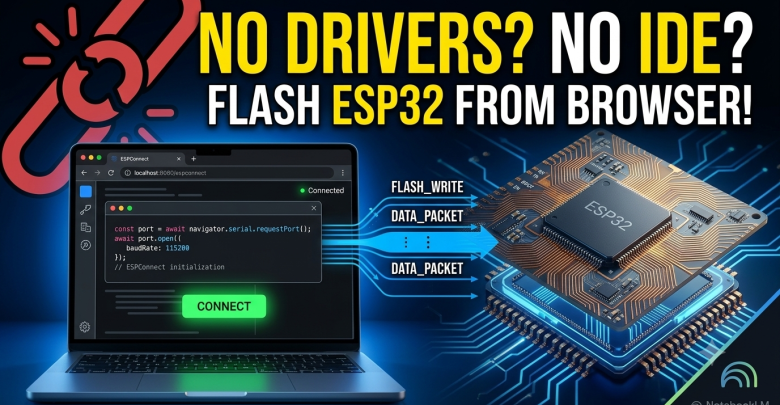
ESPConnect connects directly to your ESP32 board over a standard USB cable using the browser’s native Web Serial API. Because there is no local software, cloud server processing, or driver installation required, the browser itself becomes the flashing tool.
Under the hood, the connection relies on a simple three-step browser-to-silicon pipeline:
- Request Permission: The browser prompts the user for explicit, hardware-gated permission to access the local COM or TTY serial port.
- Hardware Handshake:
esptool.js(running directly in WebAssembly) negotiates the baud rate and triggers the ESP32 ROM bootloader mode via a automated DTR/RTS hardware reset sequence. - Stream Firmware: The binary firmware streams directly over USB serial into the microchip’s SPI flash memory.
Core Features of Browser-Based Flashing Tools
ESPConnect simplifies hardware interactions into a streamlined web dashboard:
- Zero-Install Firmware Flashing: Drag and drop essential system files (
bootloader.bin,partitions.bin, andapp.bin) directly onto a webpage to update your hardware. - Real-Time Web Serial Monitor: Debug your hardware using a built-in serial console. Communicate bi-directionally at custom baud rates (such as 115200 or 921600) without opening external terminal tools like Putty or TeraTerm.
- Partition & Memory Inspection: Instantly inspect chip ID, MAC address, total flash size, and internal partition layouts straight from the connected device before pushing any updates.
Security & Browser Compatibility Analysis
Is Web Serial Flashing Safe?
Yes. Modern web security models strictly isolate serial ports. Web applications cannot silently scan or access connected USB hardware. Every connection attempt requires an explicit user action (like clicking a button) and electing the specific device from a browser popup.
Supported Platforms and Browsers
- Supported: Chromium-based desktop and mobile browsers, including Google Chrome, Microsoft Edge, Brave, and Opera (Desktop & Android).
- Unsupported: Safari and iOS devices are currently not supported due to Apple’s platform security restrictions regarding Web Serial standards.
Real-World Enterprise & Industrial Use Cases
Moving microcontroller programming to web browsers solves major logistics challenges across industries:
- Commercial Hardware Onboarding: End-users can plug in smart home or industrial IoT devices and flash updates via a single URL—dramatically reducing technical support tickets and product returns.
- Workshops & Educational Classrooms: STEM students can flash their first microcontroller program on minute one by opening a URL, recovering hours usually lost to driver troubleshooting across different operating systems.
- Industrial Field Recovery: On-site technicians can unbrick or reflash deployed devices in the field using an Android smartphone or basic laptop browser without installing heavy diagnostic suites.
The Future of Embedded Hardware Deployment
ESPConnect collapses what previously required deep IDE setup and driver expertise into a seamless browser-based workflow. By moving hardware deployment out of engineering silos, it empowers end-users, field operations, and support teams to maintain microcontrollers effortlessly.
FAQ: Web-Based ESP32 Flashing
What microcontrollers are supported by Web Serial tools?
Most Espressif microcontrollers—including ESP32, ESP32-S2, ESP32-S3, ESP32-C3, and ESP8266—are fully supported using Web Serial tools built on esptool.js.
Do I need internet access while flashing?
Once the web page and firmware binaries are loaded into your browser, internet access is no longer required. The Web Serial API processes everything locally over your computer’s USB port.
How can I integrate ESPConnect into my own IoT product?
Simply compile your firmware binaries, host the lightweight esptool.js interface on your support website or documentation page, and direct your users to Chrome or Edge. It enables true zero-touch firmware delivery.